
Free for Android
The free route planner with unlimited stops
Plan multi-stop delivery routes in minutes. Add your stops, tap optimize and drive the fastest order. No sign-up, no paywall.
- No stop limit
- No account needed
- No ads while driving
500
stops per route, all free
0
sign-ups or subscriptions
8
languages, km or miles
How it works
From a list of addresses to the best route
Most route planners stop at 8 to 20 free stops. A real delivery day has 50 to 150. Route Planner takes them all.
- 1
Add your stops
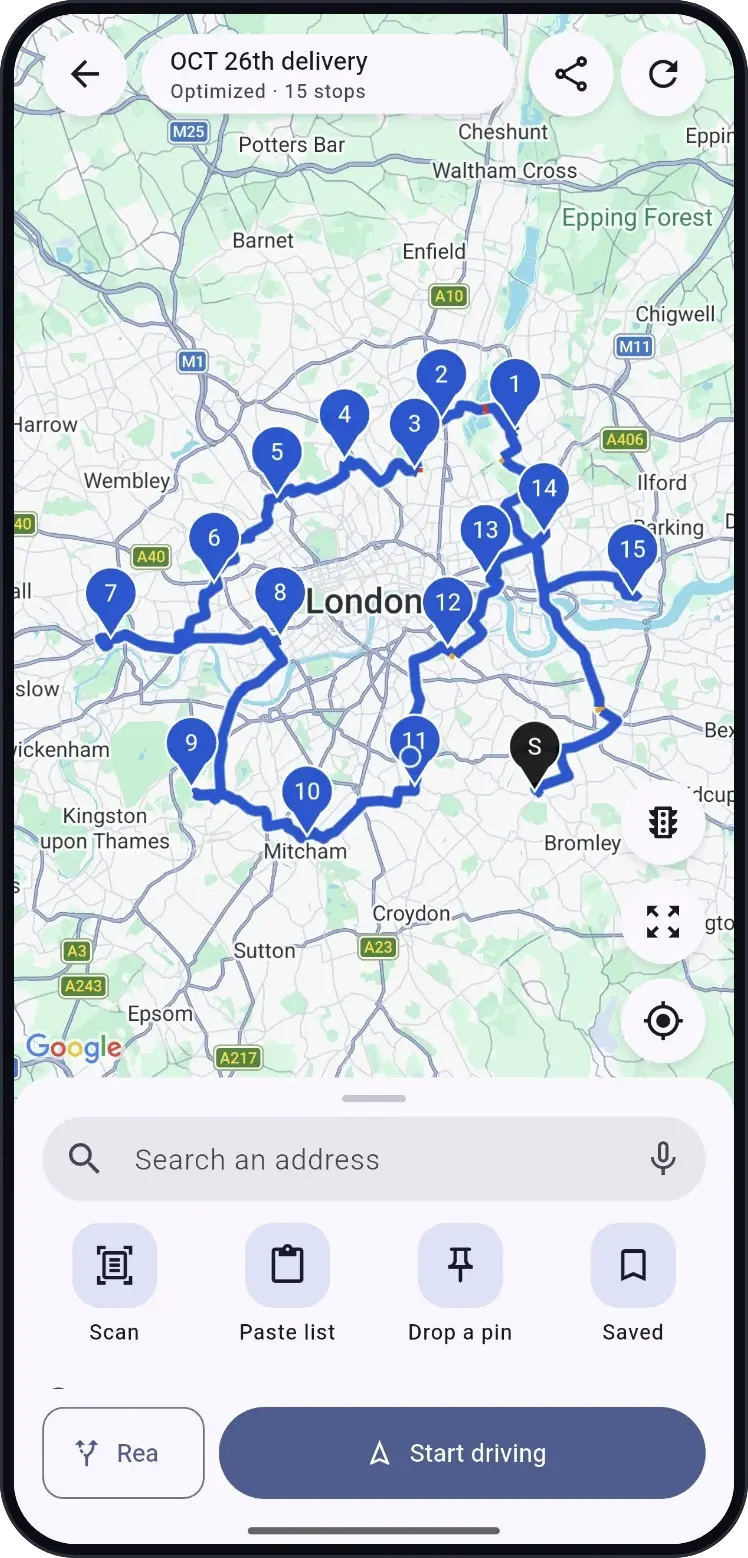
Type an address, paste a whole list, scan a printed label, say it out loud or drop a pin.
- 2
Optimize in one tap
Choose fastest (with live traffic) or shortest. The app finds the best order in seconds.
- 3
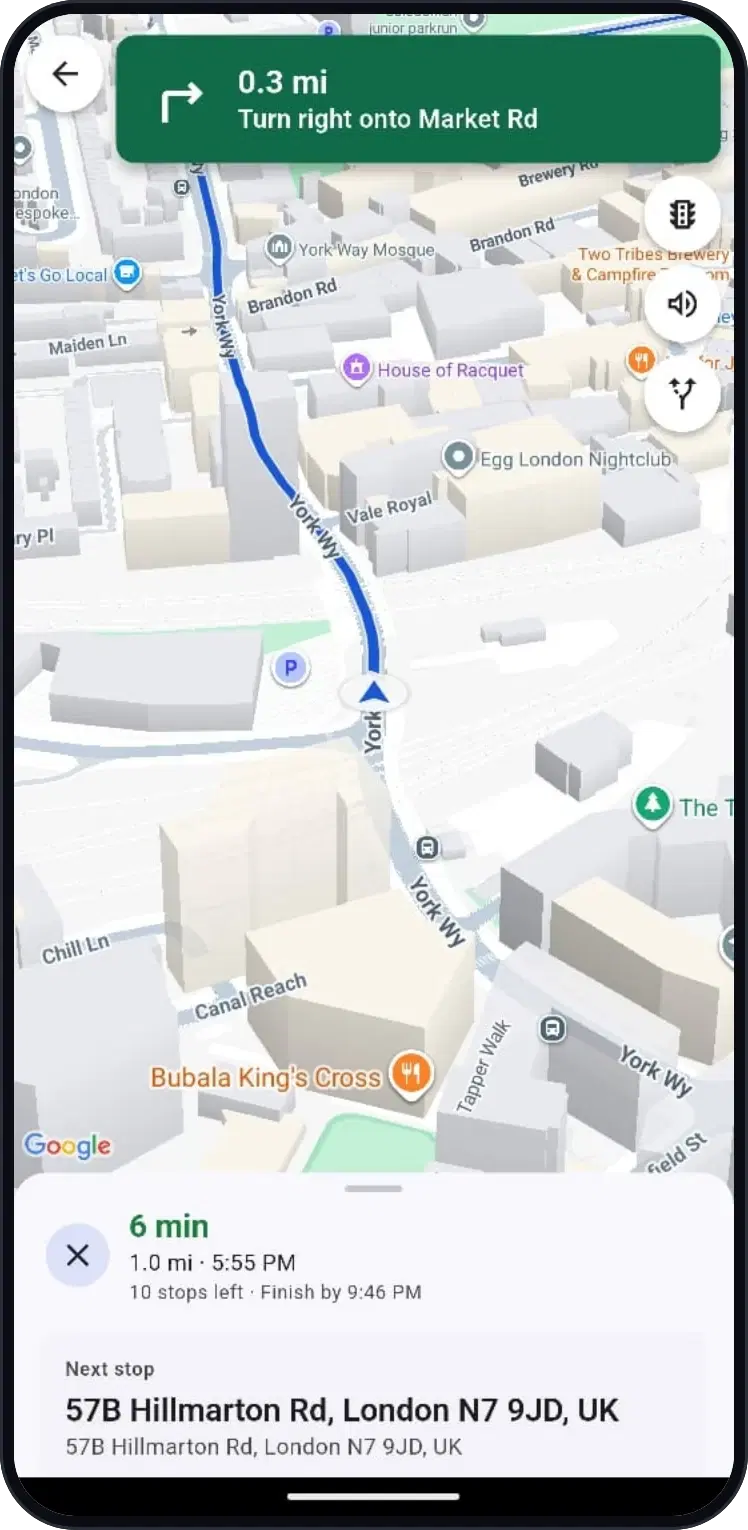
Drive stop by stop
Follow turn-by-turn voice guidance, mark each delivery and see what's left.
Features
Everything a driver needs, nothing in the way
No stop limit
Up to 500 stops on every route. No paywall after you've typed them in.
Scan, paste or speak
Read addresses off a label, paste a list from a sheet or chat, or dictate them.
Fastest or shortest
Optimize for time with live traffic, or for distance to save fuel.
You stay in control
Drag stops into any order, lock a stop first or last, set time windows and priorities.
Turn-by-turn guidance
Built-in voice directions, or open any stop in Google Maps on its exact pin.
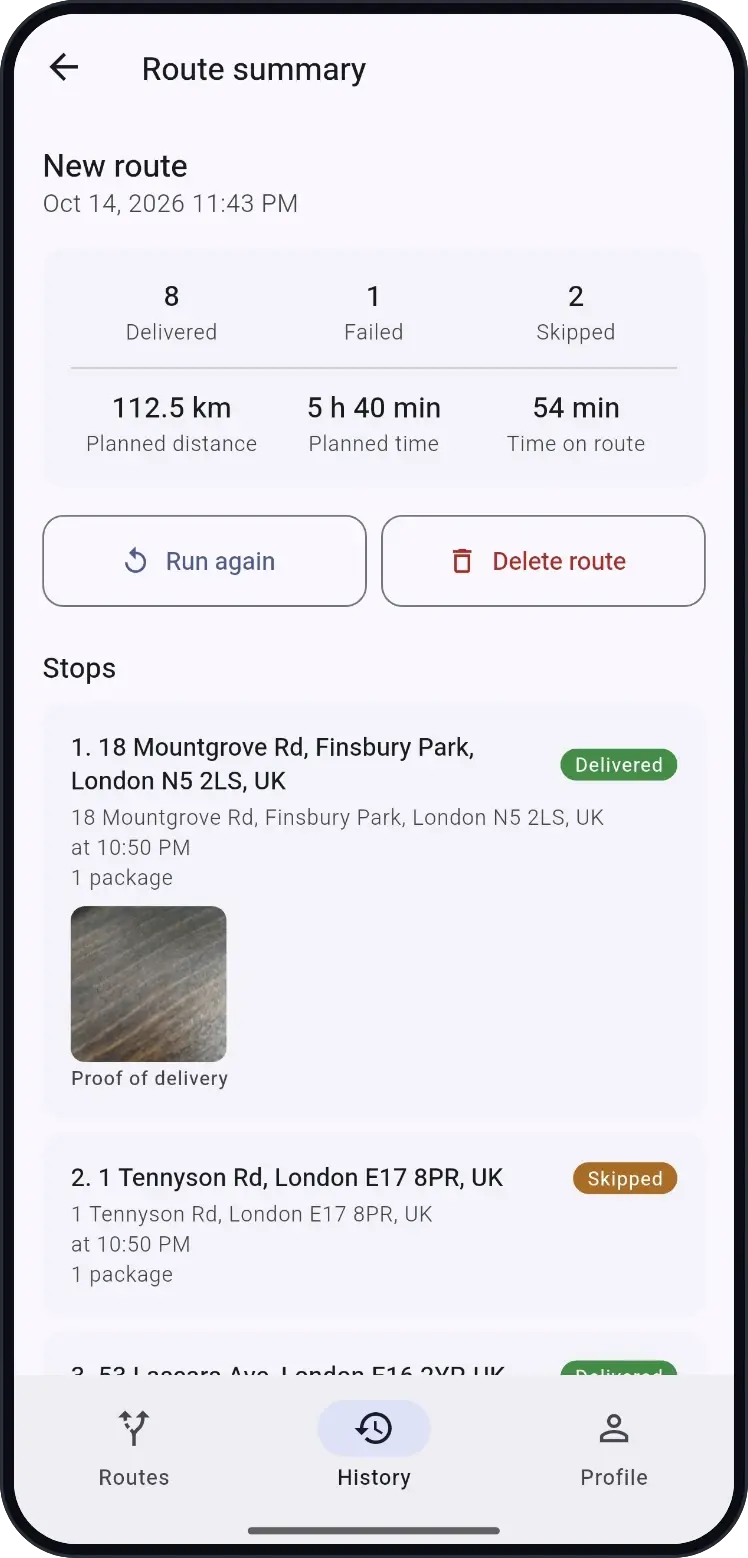
Proof of delivery
Mark delivered, failed or skipped, add a photo, and export a PDF or CSV report.
Reuse your routes
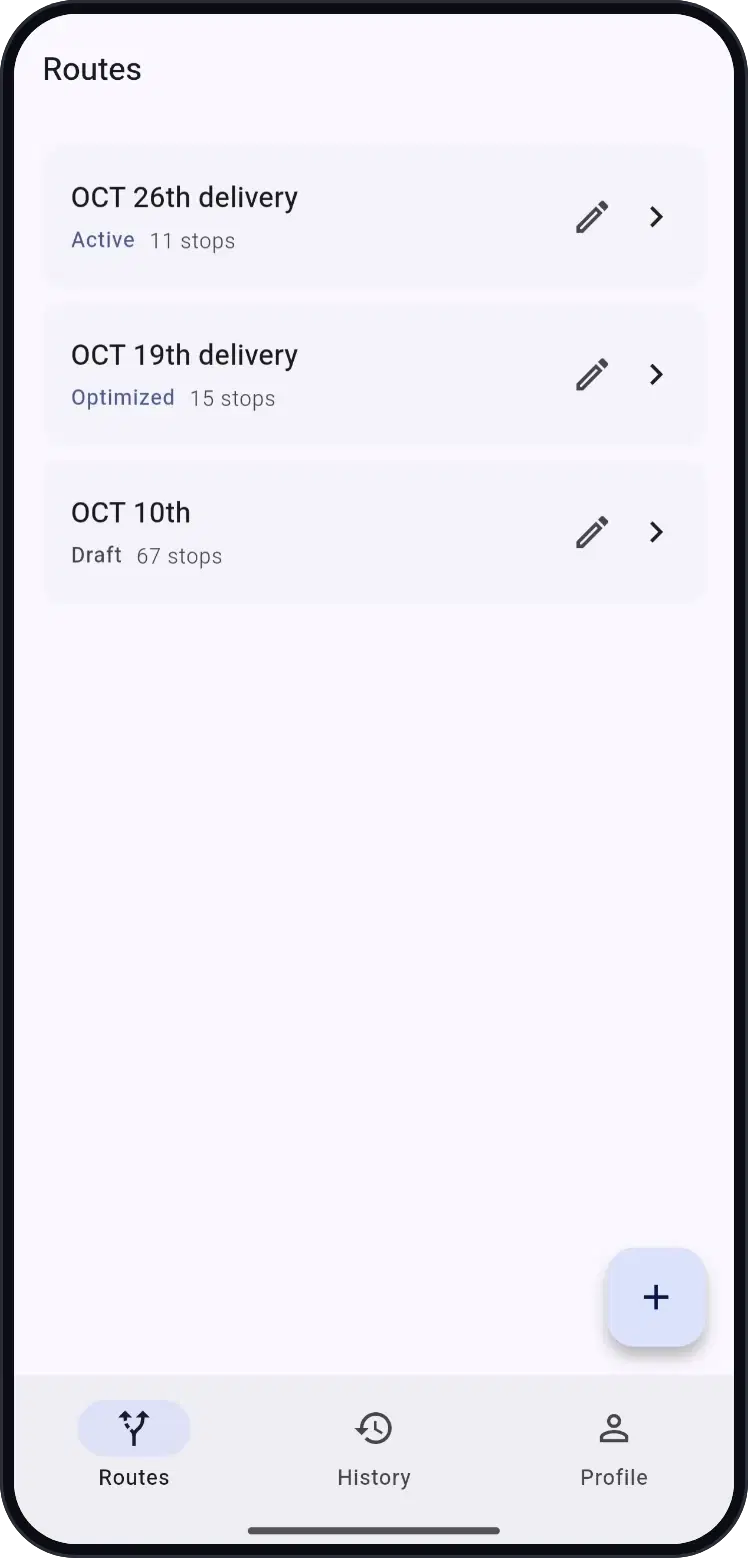
Run yesterday's route again in one tap, save regular addresses, share a route by link.
Works offline
No signal? Get an approximate order on the phone and optimize properly later.
Inside the app
Plan it, drive it, prove it
Free means free
No stop limit. No account. No catch.
Free, with no stop cap
Every feature is free. There's no stop limit to unlock and no subscription.
No account needed
Open the app and start planning. Link a Google account later only if you want your routes on a new phone.
Never ads while you drive
Small ads appear while you plan or after you finish, never during a route. A one-time purchase removes them.
Built for
- Couriers
- Delivery drivers
- Gig and parcel drivers
- Sales reps
- Field technicians
- Anyone with many stops
FAQ
Questions drivers ask
Is Route Planner really free?
Yes. Planning, optimizing, navigation, proof of delivery and reports are all free. The app shows small ads while you plan or after you finish a route, and an optional one-time purchase removes them.
How many stops can I add?
There is no stop cap and no paywall. A single route can hold up to 500 stops, and you can create as many routes as you like.
Do I need to sign up?
No. The app works the moment you open it. You can link a Google account later if you want to keep your routes when you change phones.
Can I plan a route with more than 10 stops?
Yes. Google Maps only lets you add about ten stops and keeps them in the order you typed. Route Planner takes hundreds of stops and puts them in the fastest or shortest order for you.
Can I import addresses from Excel or Google Sheets?
Copy the address column and paste it into the app. It reads lists, numbered lists, spreadsheet rows, coordinates and Google Maps links, and lets you check every address before it's added.
Does it work with Google Maps?
Yes. You can follow the app's own turn-by-turn voice directions, or open any stop in Google Maps. The app sends the exact pin you confirmed, not the address text, so you arrive at the right door.
Does it work without internet?
Yes. Without a connection the app orders your stops on the phone using straight-line distances, clearly marked as approximate, and you can optimize properly once you're back online.
Is it available on iPhone?
Not yet. Route Planner is built for Android first.
Which languages does it support?
English, Arabic, Spanish, Portuguese, Hindi, Indonesian, Sinhala and Tamil, with distances in kilometres or miles.
What happens to my customers' addresses?
Your stops are private to your account and are never shared with advertisers. You can delete all of your data from the app at any time.
Guides
Plan better routes
How to plan a route with multiple stops (even more than 10)
Why Google Maps runs out at about ten stops, and a simple way to plan routes with many more.
Read the guide →
Delivery route planning: a practical guide for couriers and drivers
A start-to-finish routine for delivery days: before you leave, on the road and after the last drop.
Read the guide →
Free route planner apps compared: what the free plans really include
Stop limits, paywalls and what to look for, for drivers who need more than a trial.
Read the guide →

Spend less time driving
Free, with no stop limit and no account. Plan your next route in minutes.
Coming soon toGoogle Play